 inktype.cc
Four markers define the capture sheet
Each corner has a black ArUco marker. Its pattern identifies the corner and also carries the kind of sheet (letters, ligatures or blank), the template version and the language, so the app knows which character each box holds. The app checks the set before it reads any handwriting, which prevents a partial or mixed sheet from being processed as if it were complete.
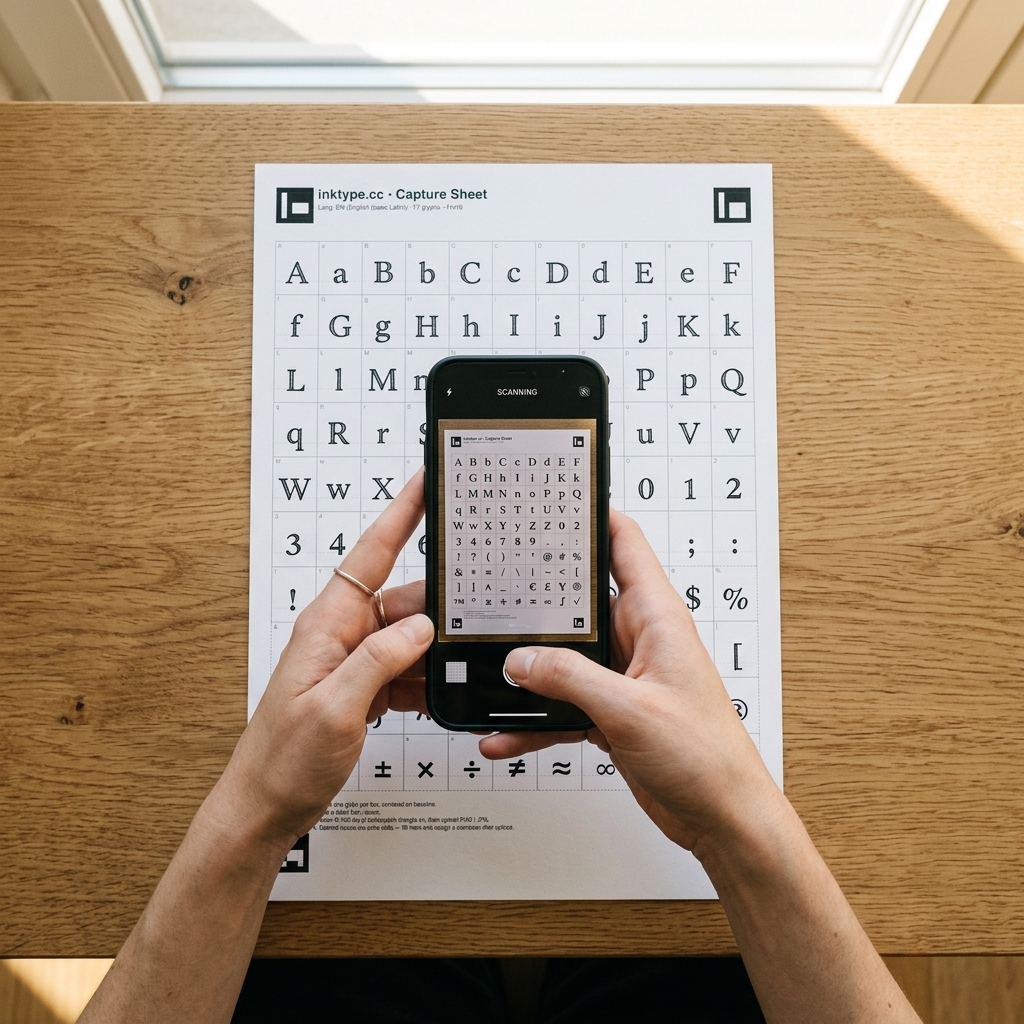
Perspective correction maps the photo back to the page
A phone is rarely held at a perfect right angle. The four detected corner positions define a perspective transform, also called a homography. The browser uses it to map the photographed sheet back to a consistent A4 coordinate system.
This correction handles ordinary camera tilt. It cannot fully undo a page that is curled, folded, or hidden by a shadow, because different parts of the paper no longer lie on the same flat plane.
Each grid box becomes one glyph image
The capture sheet uses an 11 by 10 grid. Once the page is straightened, the app extracts the cells in their known order. The selected language tells it which character belongs in each labelled position. This structured grid avoids the problems of scanning continuous handwritten articles or notebook pages directly, where touching strokes and irregular lines make automatic letter separation unreliable.
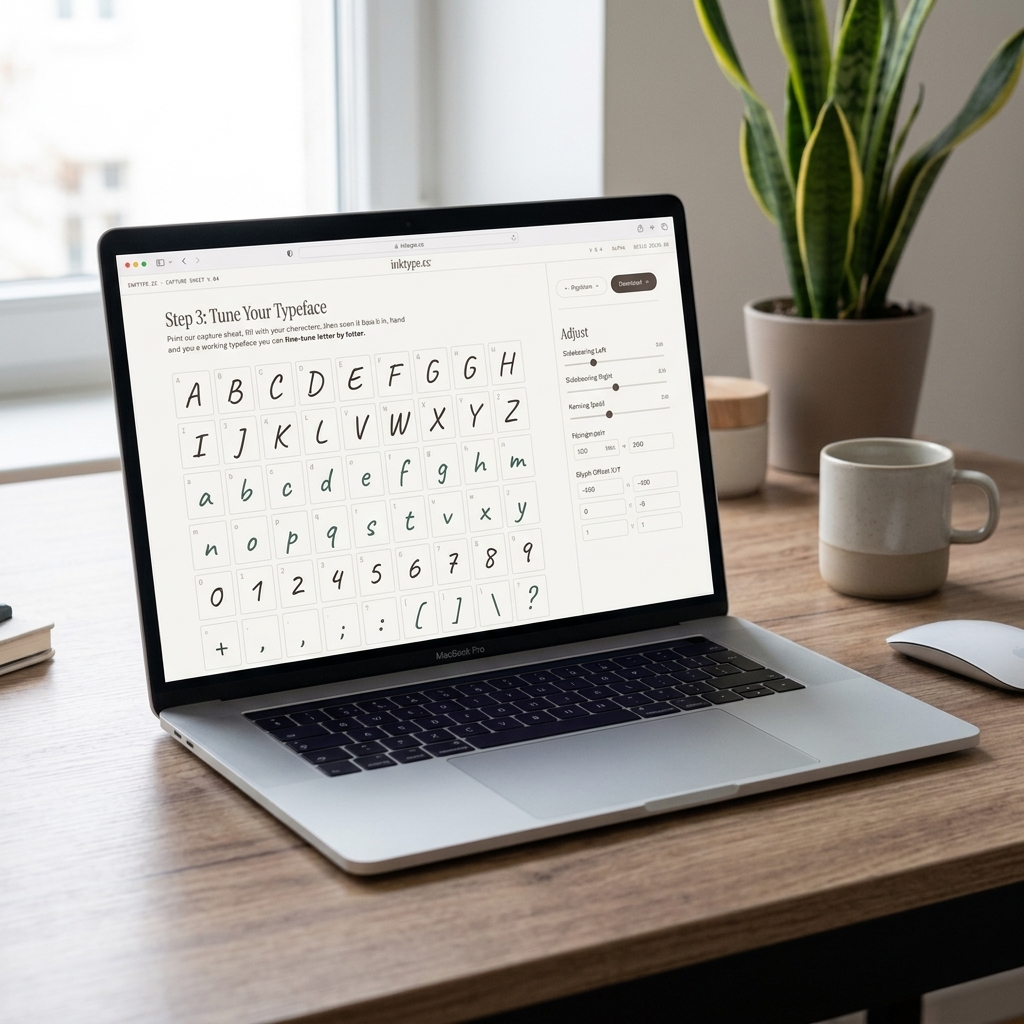
Adaptive thresholding separates darker strokes from the local paper background. That local calculation helps when one side of the photo is slightly darker than the other. Sensitivity and Threshold let you change how much ink is kept, for the whole font or for one glyph.
Pixels become editable vector outlines
The app traces the kept ink into paths. Vector outlines can be scaled and shifted without preserving the original camera pixels, which is what the font builder needs. The untouched traced path is kept as the source while you adjust the displayed glyph.
Three steps clean up the ink along the way. Before tracing, small loose marks apart from the letter are removed, up to the size Remove specks sets, but never a glyph's largest mark. Then small holes enclosed by ink are filled, up to the size Fill holes sets, so pinholes close while the insides of letters like o and e stay open. During tracing, Smoothness rounds off the stair-steps and wobbles of the pixel edges before curves are fitted to them.
The Ink controls (Sensitivity, Threshold, Smoothness, Fill holes and Remove specks) change the trace itself. Shift, scale, and advance width change how that traced shape sits and spaces inside the font.
Global and per-glyph edits work together
Global controls move, scale, or space every glyph. Per-glyph controls correct one character without changing the rest. The final position combines both layers, so you can set a useful overall baseline and then fix individual outliers.
Auto-process can normalise size, baseline, and spacing. Auto-crop spacing measures the ink bounds and applies the side margins you choose. Neither operation locks the result; every value remains editable.
Kerning then adjusts pairs of letters. The app measures how far apart the ink of each pair sits, band by band from top to bottom, and moves pairs like AV or To closer, so they look as evenly spaced as straight pairs like HH. The Strength slider sets how far it goes, and the pairs follow every other adjustment you make.
The browser compiles the font
The font engine adds each adjusted outline to an OpenType font, along with its character mapping, spacing and kerning, and the rules that swap in your ligatures and letter versions. The live preview uses a temporary version of the same font. When you export, the browser builds the final file in the format you choose (OTF, TTF, WOFF or WOFF2) and downloads it to your computer.
Image processing runs in a Web Worker so the heavier work does not block the main page. The app still needs JavaScript and a desktop-sized viewport to run the editor.
Your sheet stays on the device
There is no account or font-storage backend. Processing happens in the browser, and editing settings are kept in local browser storage for the same file name and size. Clearing site data or switching browser profiles removes access to those saved settings.
Read the privacy policy for the complete description of local storage and the limited site telemetry.